
For those contemplating investment in a digital textile printing solution, the decision of what software to use is often focused on a RIP (Raster Image Processor). A RIP is responsible for reading an image file and calculating – with the aid of a colour management engine and a profile – what size drops of each ink colour need to be printed, to obtain the desired result.
When considering which RIP to use, a preferred option is often recommended by the supplier of your chosen printer. The recommendation may stem from a proven industry reputation of superior results, or because the RIP developer is an organisation associated with the company that developed the printer. No matter which is the case, it is always advisable to look at the full range of alternative RIP options, considering the primary industry you operate in and the application the RIP was developed for.
There is not a one RIP fits all solution. For example, traditional textile printing businesses require different functionality and output to sign and banner manufacturers, or the graphics industry. Some of the most important considerations outside of simply ensuring the RIP fully supports all the features of the printer you’re purchasing are:
- Does the RIP have built-in profile creation tools?
- Do the RIP profile creation tools support your number and type of inks?
In some instances, RIPs are one part of a larger suite of programs, which offer extra functionality designed specifically for the textile industry. Commonly, these are: colourway creation and management; product visualisation; and even design creation, editing and manipulation. If you are a vertical operation there may be benefits to originating your design files using software from the same developer that created your RIP.
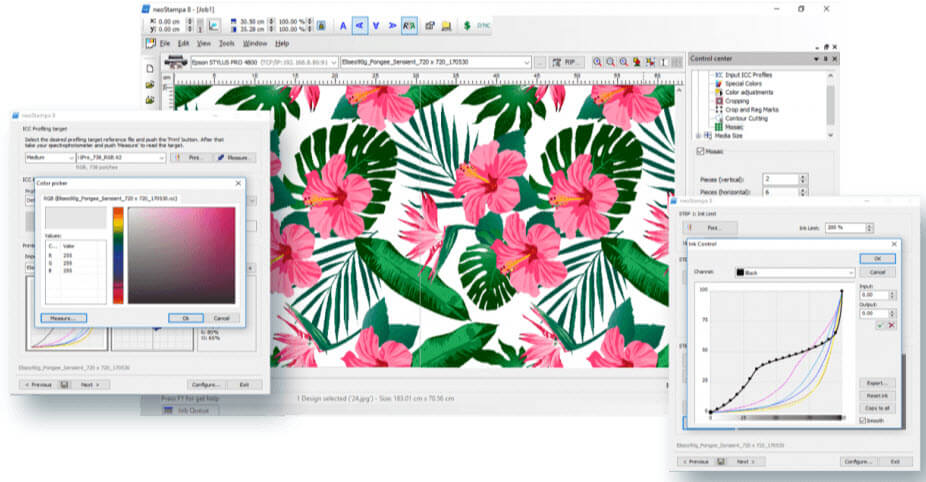 Compatible with all major brands of printers on the market, neoStampa has a user-friendly interface and is straightforward to use, offering advanced technology for image processing. Its powerful colour management engine and multiple options for cost control, image editing, calibration and print profiling make neoStampa the best available solution. https://www.inedit.com/en/productos/neostampa/
Additional software requirements
Whilst a RIP is one of the most important software components, it is only one component of a range of software tools that should be considered when implementing a digital textile printing solution.
If a RIP doesn’t have a built-in profile creation tool, you’ll need to look at acquiring i1Profiler software by X-Rite, or a similar standalone profile creation tool. The i1Profiler software can be purchased in combination with an i1 or i1iO based measurement device. Attention should be paid to the version of i1 purchased as this determines what type of devices can be profiled by the i1Profiler software and the maximum number of colorants that can be included in the profile. XRite’s i1Profiler PUBLISH offers support of up to 8 inks and the ability to profile other input and output devices.
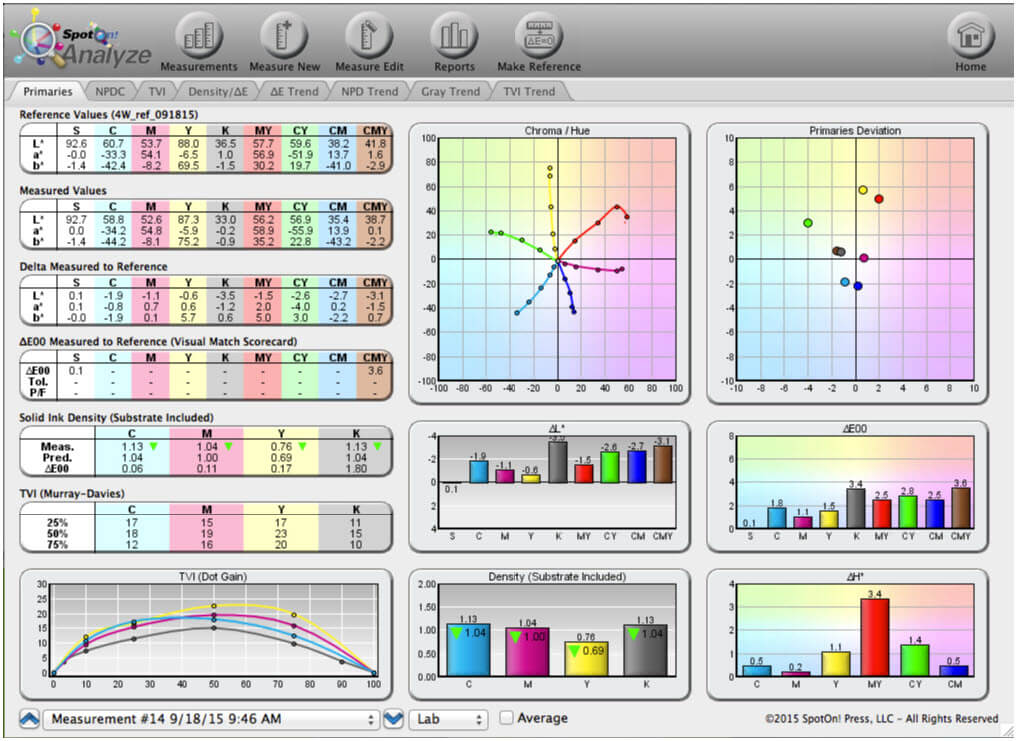 SpotOn Analyze is an easy-to-use software tool with a powerful visual dashboard for tracking on-going device performance. It gives you the control to match GRACoL, SWOP, and custom specs every day. https://spotonpress.com/product-overview/spoton/
Managing ink output
Irrespective of whether you build your profile in a standalone tool such as i1Profiler or use the features built into your RIP, the process typically requires the user to make decisions regarding the optimum, maximum ink level for both individual inks and combinations of those inks. All profile creation software supports the user in this decision-making process in different ways, some significantly better than others.
Does more ink = better colour?
Printing with high ink loads doesn’t always result in brighter, or deeper, colours. With most inks, having the maximum level set too high will deviate the colour away from a constant hue and lessen chroma. As an example, what should be a dark saturated cyan appears to be a dull dark blue.
The consequences of using more than the optimum amount of ink can impact both operational costs and print image quality. More ink usage equals higher than necessary consumable costs, and a reduction in print head life, as heads are often rated on the volume of ink being jetted. Considering that the expense of industrial print heads used in today’s digital textile printing machines can cost in excess of €5,000, a little extra ink in a profile can result in a significant increase in the cost of ownership of the printer.
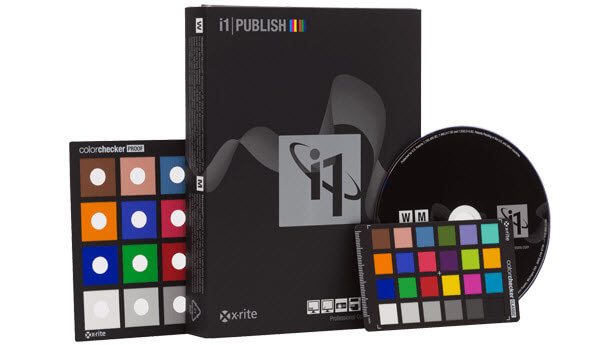
i1Publish is the next generation colour profiling solution that delivers a flexible user defined experience to generate unrivalled colour quality. Accommodating a broad range of proficiencies and expertise, i1Publish provides complete power and control to create the highest-quality ICC profiles. Quickly and easily create custom profiles for cameras, monitors, digital projectors, scanners, and RGB, CMYK and CMYK+4 printers, ensuring colour accuracy from capture to output. Choose between a basic, wizard-driven interface, or an advanced user-driven interface to create high-quality, precise, custom colour profiles.
https://www.xrite.com/categories/calibration-profiling/i1publish-pro-2
Some of the best analysis and optimisation tools can be found as part of software developed by third parties that aren’t by default included with the RIP or profile creation software. Ideally, any profile should use the minimum amount of ink to obtain the maximum colour gamut, matching or exceeding a colour standard target, with as neutral as possible greyscale and the optimum GCR (Grey Colour Replacement).
One tool which helps with the task of selecting the optimum, maximum ink levels is SpotOn from SpotOn! Press, LLC. This tool displays colour measurements with a rich assortment of easy to understand visual graphs. Within a matter of a few minutes, it’s possible to identify if the profile is using too much ink, how neutral greys will appear, and if the print results using the profile are able to satisfy the colour gamut required to reproduce a particular CRPC (Characterisation Reference Print Conditions). The SpotOn tool only supports CMYK and, as such, when being used with a six or eight colour ink set it should be used to establish the limits for CMYK in isolation of the other colours, before creating the complete six or eight colour profile.
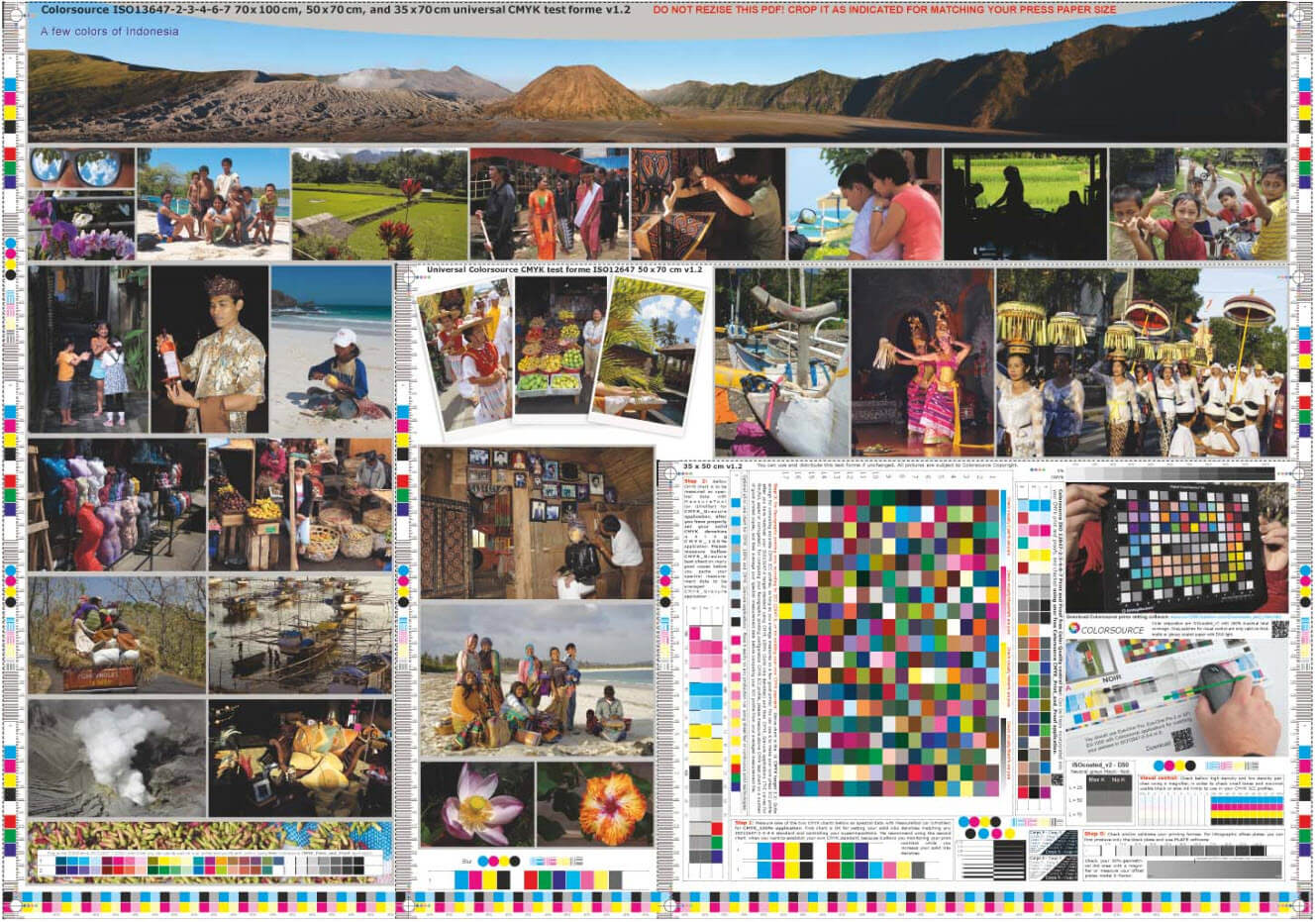 COLORSOURCE Engineering. http://www.iso12647solution.com/Colorsource_universal_CMYK_print_test_formes.htm
Utilising target images
Being able to visually identify and measure your profile’s ability to reproduce a target image allows for better alignment between different fabric types, printers or ink sets, and assists in providing an understanding of what limitations your workflow has. You can create your own colour target using images you are familiar with, so you know how they should look when printed. Or, you can obtain a colour target from an organization that builds charts with known colour target values contained within them. The benefit of this solution is the ease of measurement for these colour swatches, with products such as SpotOn, where you obtain pass/fail information regarding how accurately the target colours have been reproduced.
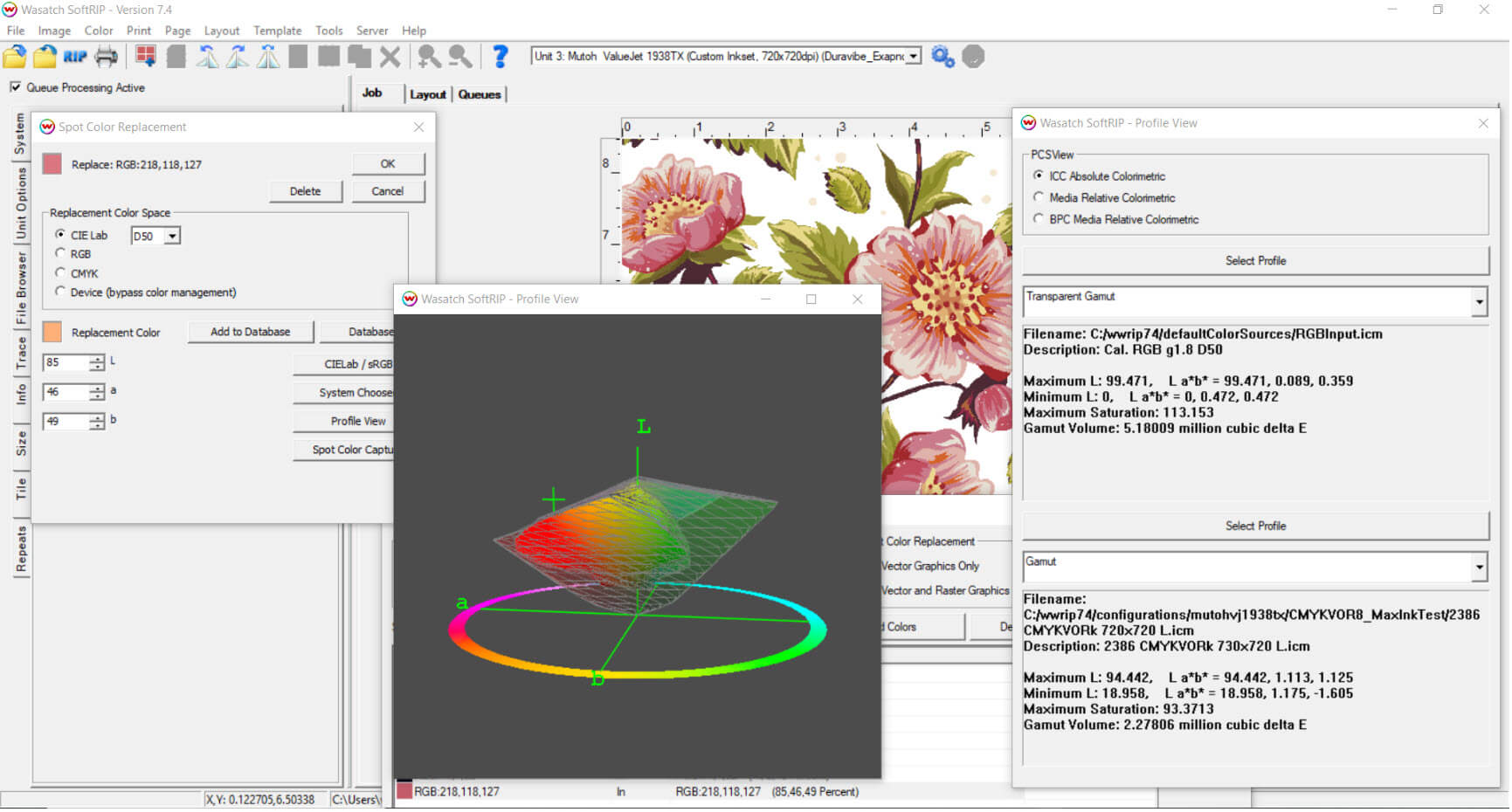 Developed exclusively for the needs of textile printers, Wasatch SoftRIP TX is equipped with the tools you need to make your transition to digital printing seamless. With all the functionality of the original SoftRIP print management package, plus specialty features for textile printing. http://www.wasatch.com/fabric.html
Gamut matching
The sign & banner industry has the benefit of ink and media combinations that produce significantly larger colour gamuts than is achievable from any of the textile ink chemistries for dispersed/sublimation, reactive, acid or pigments. Knowing if a client’s colours can be matched is one of the most challenging aspects of any digital textile printing process. Some RIPs, such as Wasatch, include tools that allow the user to visualise the achievable colour gamut.
Colour Think Pro from Chromix also includes an extensive and powerful set of colour gamut visualisation options. These allow the user to identify issues with the colour gamut, compare colour gamut spaces and identify which colours in an image can be accurately re-produced. The software will display the printer profile in multiple forms and overlay the colours in an image file, enabling the user to identify which colours can be accurately reproduced.
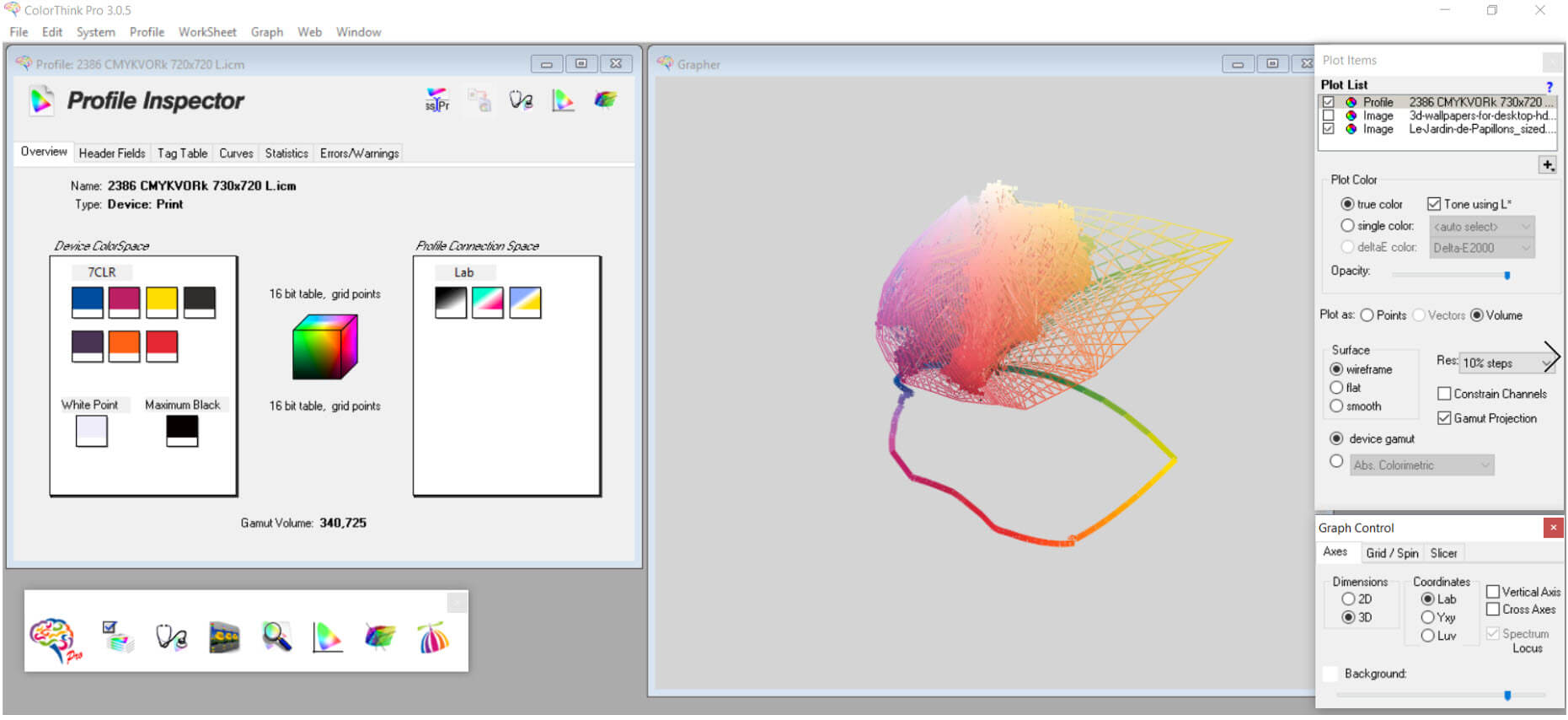 Color Think Pro. http://www2.chromix.com/colorthink/pro/ © 2001-2018 CHROMiX
Achieving consistent results
Selecting the right RIP and building the optimum profile using these tools will ensure you obtain the best possible results from your digital textile printing workflow. Maintaining consistent, repeatable results and handling your colour data efficiently requires more software technology.
Every digital textile printing company is consistently identifying what are referred to as ‘special colours.’ These are colours they need to be able to be referenced quickly, easily and repeatedly, as they have identified the exact colour values needed to obtain the best possible printed colour match. The management of these special colours is typically done within the RIP, or in some cases as a tool within a larger suite of software designed for digital textile printing applications. There are also third-party tools primarily designed for the task of identifying and managing special colours, independent of the RIP being used. Color InSight is an example of this type of application.
Now that you’ve established a workflow that is capable of matching special colours and accurately reproducing targets, it’s important to implement a verification schedule and process to ensure if any part of the workflow deviates from the norm, you know about it and can take the necessary steps to resolve the cause.
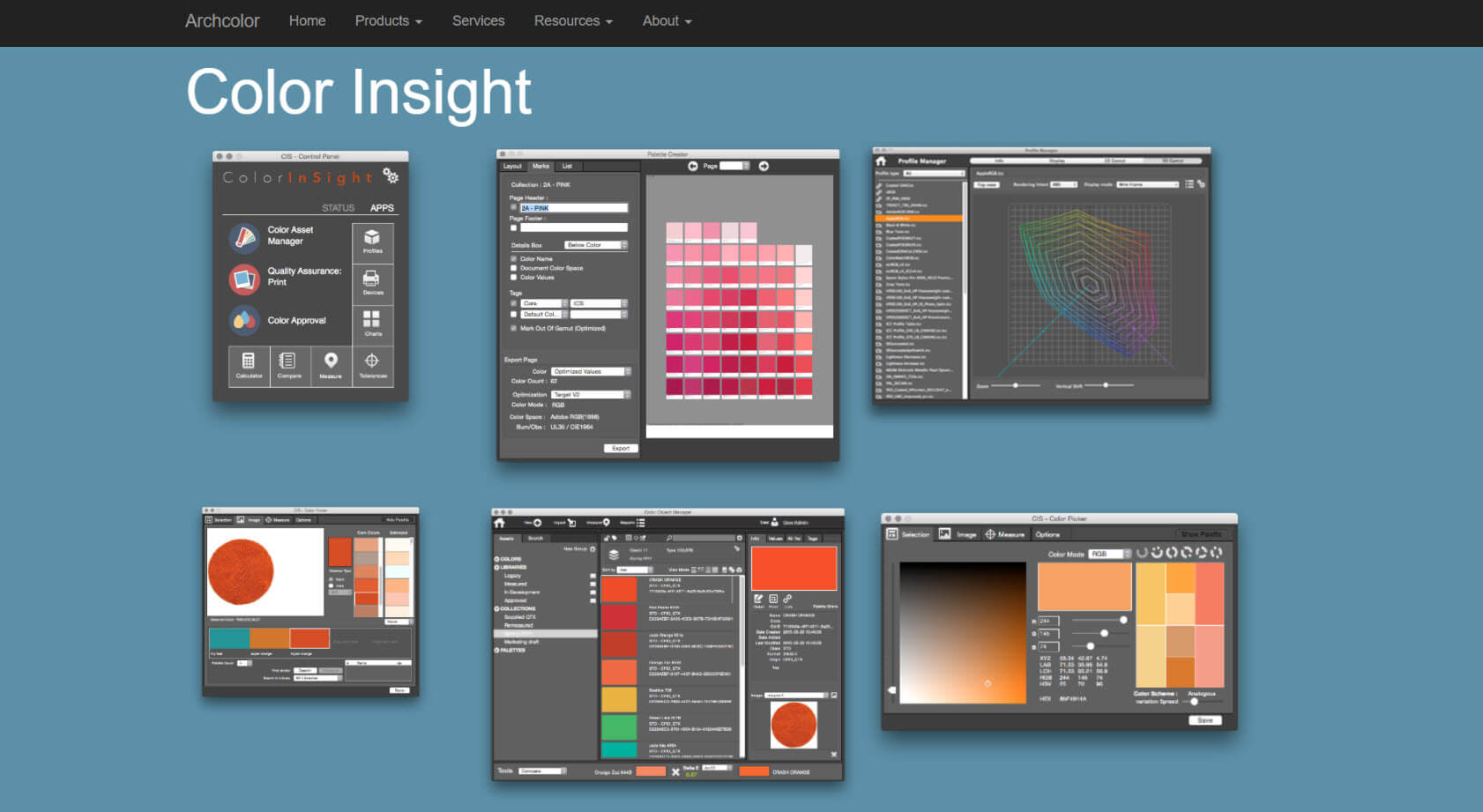 Color InSight includes asset management features, enables colours to be sorted by hue, chroma, lightness, accepts QTX, CXF, or CGATS file formats, and exports palettes directly into Adobe applications. http://www.archcolor.com/
Most digital textile printing operations understand the importance of daily, or more frequent, nozzle checks. As printing consistently is only one aspect of the digital textile printing process, it’s important to establish a regular verification process for the complete workflow. This will ensure you’re more likely to identify problems before your customer does.
I1Profiler, SportOn! Verify and ProofPass are three examples of software that is capable of tracking any variation in your print results and providing pass/fail reports.
Implementing a digital textile printing workflow is a significant challenge. Identifying the optimum components to ensure the solution can meet your objectives requires an intimate knowledge of each vendor’s software and hardware products. Printer suppliers typically want to focus on the hardware specification of their machine and not the multiple software tools that should be used to operate, manage and maintain the output produced by their printer. By recognising and acknowledging what can go wrong with a digital textile printing workflow, you can identify the areas of the process that may require some type of software technology to ensure optimum repeatable operation.
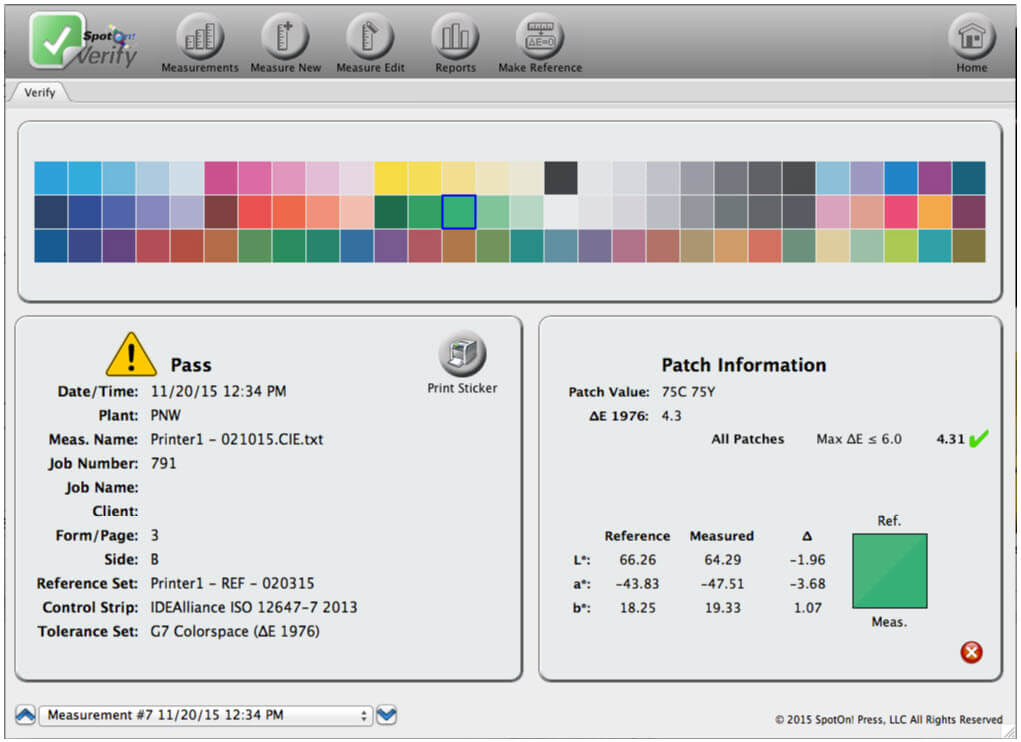
Eyeballing colour is a recipe for disaster: inaccurate colour; rejected jobs; and lost customers. Verify’s Visual Match Scorecard is perfect for pass/fail evaluations, because it calculates an accuracy score between 0 and 100% across the entire gamut of a device. Then it creates an easily understandable graph, instantly indicating how closely a print is going to visually match the standard. https://spotonpress.com/product-overview/spoton-verify/
* Steve Smith is a founding partner of LIRICO Group, a collective of industry experts brought together to simplify and expedite the adoption of digital textile printing technology. LIRICO Group believe the largest obstacle to the adoption of digital textile printing technology is the availability of supplier neutral expertise to identify and manage the implementation of the optimum solution for a client. www.liricogroup.com